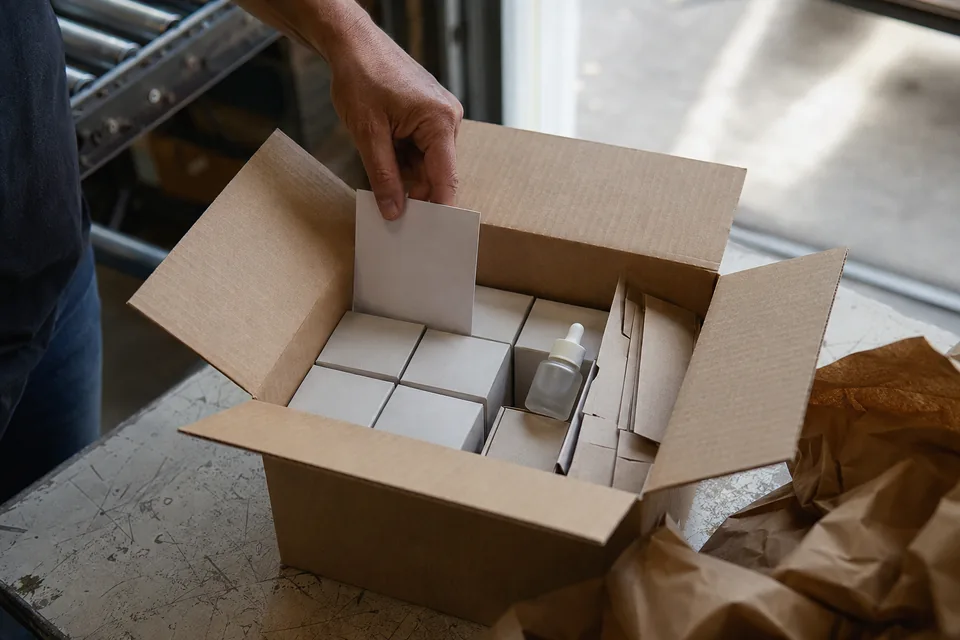
The pharmacy has received the products, but the tester it was promised is not in the parcel. The rep chases the sales admin team, who chase the warehouse. One forgotten line can generate several exchanges. Asilage — automatic POS-display bundling — is the practice of organising these added items at the moment the order is picked.
Asilage: inserting an item or a display into a shipment
In distribution vocabulary, asilage means inserting something into a shipment: documentation, a sample, a tester or a display unit. Direct marketing also uses “asile colis” for an advertising offer inserted into another brand’s parcel.
This article covers sending a brand’s own display material alongside its own products to pharmacies, mainly for skincare and non-prescription ranges. The conditions depend on the campaign: a first order, the presence of a given product, a volume threshold, a period or a customer profile. Automation is one way of carrying out asilage, not part of its definition.
Separate the object from the rule that sends it
The POS display (PLV, publicité sur le lieu de vente) is the object itself: a counter display, an easel, a poster or a window sticker (see the guide to POS displays in pharmacies). Asilage is its insertion into the shipment. A tester is a unit intended for demonstration; keep it distinct from stock meant for sale.
The word used inside a piece of software may be narrower. In Salesia, the use described here is configured as a free-product campaign — for example adding a counter display when an order contains a given range. For first-order or frequency rules, have the exact expected behaviour checked.
Discounts, free units and asilage
- →Discount: a price reduction, with a defined base and calculation method.
- →Free units: quantities given under the commercial agreement, for example two units delivered on top of twelve bought.
- →Asilage: inserting a display or an additional item to accompany the shipment.
A single order can combine all three. Do not infer the nature of a campaign from its trigger threshold alone: a POS display can also be reserved for a minimum quantity. What matters for execution is knowing what to prepare, in what quantity, and at what approved value.
Write a rule the warehouse can apply
For a fictional hand-cream launch, the brand plans a tester and a small counter easel with the first order from the range. The rule has to state the triggering products, the eligible customers, the campaign dates, the maximum per pharmacy and the codes of the two items added.
Give each display its own code, even when it is free. The warehouse has to be able to track its stock and confirm that it has been picked. A “remember the POS display” note in a comment field is less reliable than an identified line — although a line does not guarantee shipment either if the stock has run out.
Has this allocation already been planned, shipped or received?
- YesTrack the existing allocation
Find its status and do not add a second allocation while the parcel is still on its way.
- NoCheck availability
Add the planned display material, or report the shortage and apply the agreed fallback.
Check for a cancellation before reopening eligibility. Test the period and frequency rules in your tool; this diagram does not guarantee they are automated.
Test duplicates and shortages
Place two orders from the same customer on the same day, then one order split into two shipments. Should the display go out once or twice? Test a cancellation followed by a new order as well. The system has to keep the difference between an allocation that is planned and one that has actually shipped.
If the POS display runs out, decide with logistics whether the product order ships on its own, whether the display follows later, or whether the campaign is suspended. A second parcel can cost more than the free item. Tell the rep, so that they do not confirm an allocation that is no longer available.
Cost a complete campaign
Fictional example: 200 pharmacies each receive a tester costing €2 and a counter easel costing €1.50. The items cost €700. With €0.50 of extra picking per parcel, the budget reaches €800, before any additional shipping cost. This management calculation does not replace the accounting or tax treatment of the campaign.
To judge whether the allocation was worth it, record both receipt and set-up. A display can be delivered and stay in the stockroom because it is too big, ill-suited or arrived after the season. Field feedback should let you correct the next campaign.
Close the campaign cleanly
- →End date: stop the automatic additions and deal with allocations still pending.
- →Reconciliation: compare the quantities planned, picked and shipped.
- →Field check: check a sample of installations with the pharmacies’ agreement.
- →Lessons learned: keep the dimensions that worked, the reasons for refusal and the cost of reshipping.
Medicine samples and their promotion follow a separate legal framework: the skincare tester examples above are not a rule that applies to every health product. Have the display material and its distribution conditions approved for the range concerned.
Check your free-product rules
Bring a campaign and a few edge cases. We will show you how to declare free products and check the order lines in Salesia.
The cost of free units reappears in the margin calculation after discounts and free goods, which should be based on the quantities actually delivered.

By Anatole Briant
By Anatole Briant
By Anatole Briant

CEO of Salesia
Anatole Briant is CEO of Salesia. He is your contact for demonstrations, pricing and partnerships.